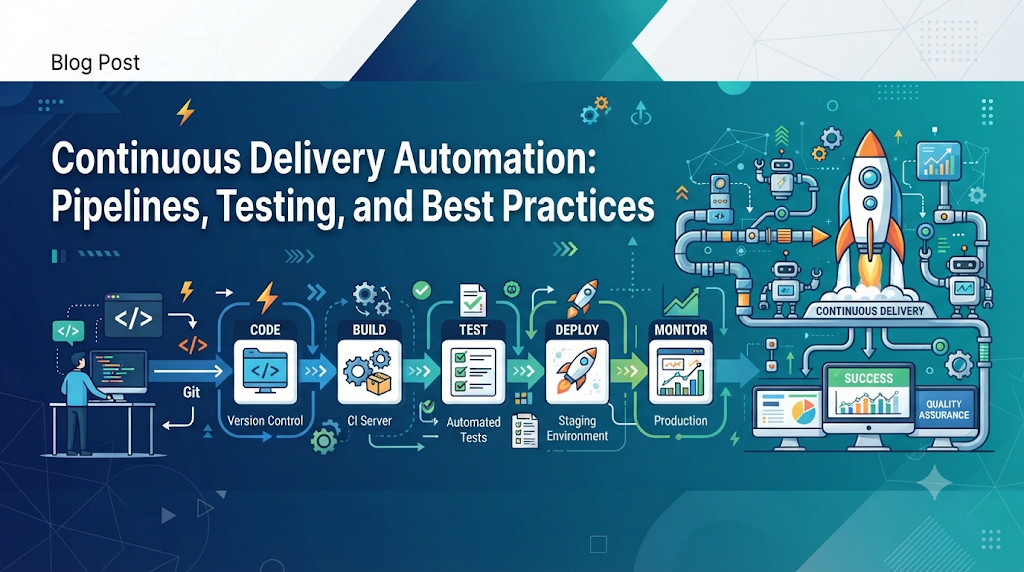
In many growing engineering organizations, releasing software still relies on a fragile chain of manual handoffs—developers pass compiled builds over chat, QA teams run repetitive regression checks on shared staging servers, and operations engineers execute late-night deployment scripts while cross-referencing static runbooks. As applications scale into complex distributed systems, these manual steps introduce severe bottlenecks, environment discrepancies, and preventable production outages. Automation in Continuous Delivery eliminates this friction by converting human-dependent release tasks into repeatable, auditable, and deterministic software pipelines. For professionals looking to build structured expertise in these practices, educational platforms like DevOpsSchool offer practical resources that connect foundational DevOps concepts with real-world pipeline implementation—helping teams keep their codebase perpetually releasable while accelerating delivery speed and improving software quality.
1. Understand Continuous Delivery Before Automating It
Before writing pipeline scripts or selecting automation tools, engineering teams must share a clear definition of what Continuous Delivery actually means. Attempting to automate a misunderstood process usually results in faster chaos rather than reliable delivery.
Continuous Delivery (CD) is a software engineering discipline in which teams produce software in short cycles and ensure that the application can be reliably released to production at any time. The defining characteristic of Continuous Delivery is not the speed at which code is written, nor is it the complete removal of human decision-making; rather, it is maintaining the main codebase in a perpetually releasable state. Every time a developer commits a change, the software is automatically built, tested, and verified against production-like standards so that deploying it becomes a low-risk, routine business decision rather than a complex technical project.
To implement automated software delivery effectively, it helps to distinguish Continuous Delivery from two closely related practices:
| Practice | Core Focus | Trigger to Production | Primary Goal |
|---|---|---|---|
| Continuous Integration (CI) | Merging developer code changes into a shared repository frequently, followed by automated builds and unit tests. | Not applicable (stops at verified build artifacts). | Detect integration conflicts and syntax or logic errors early. |
| Continuous Delivery (CD) | Extending CI by automatically validating artifacts across staging environments, security scans, and acceptance tests. | Manual approval (a human decides when to release to production). | Ensure the software is always ready for a safe, one-click production release. |
| Continuous Deployment | Extending Continuous Delivery so that every change passing all automated pipeline stages goes live immediately. | Fully automated (no human intervention between commit and production). | Maximize delivery speed and shorten the feedback loop with end users. |
Understanding the distinction between Continuous Delivery and the Continuous Deployment process is especially important for regulated industries, enterprise organizations, and teams transitioning away from legacy release cycles. Continuous Delivery does not force an organization to push unfinished features to customers ten times a day. Instead, it separates deployment (the technical act of putting verified software onto production infrastructure) from release (the business decision to expose new functionality to users). Human approval—whether from a release manager, product owner, or compliance officer—can remain an explicit gate right before production deployment.
Across the broader software delivery lifecycle, Continuous Delivery acts as the connective tissue linking code creation to operational stability. When software is kept in a constant state of readiness, teams avoid the massive, risky “big bang” releases that historically caused weekend outages and prolonged bug-fixing freezes.
2. Identify the Activities That Need Automation
A modern software delivery pipeline encompasses numerous technical and administrative steps between a developer writing code and an end user interacting with the updated application. To build an effective automation strategy, teams should map out every stage of their current delivery workflow and determine which activities benefit from deterministic execution and which require human judgment.
- Source Code Integration: Merging feature branches into the main trunk, resolving version conflicts, and triggering downstream workflows. Automation handles branch validation, merge-conflict detection, and trigger execution, while humans conduct peer code reviews to evaluate architectural clarity and maintainability.
- Build and Compilation: Translating source code into executable binaries, bundles, or container images. This step is entirely deterministic and should be 100% automated so that builds produce identical outputs regardless of who initiates them.
- Automated Testing: Running unit, integration, API, regression, and performance tests. Automated testing in DevOps eliminates the bottleneck of manual test execution for known scenarios, freeing QA professionals to focus on exploratory testing, usability evaluation, and complex edge-case design.
- Code Quality Checks: Evaluating static code metrics, formatting standards, cyclomatic complexity, and test coverage thresholds. Automation enforces consistent style and flags maintainability risks automatically during pull requests.
- Security Validation: Scanning code for vulnerabilities, checking third-party dependencies for known exploits, and detecting leaked credentials. Automated security checks catch common flaws immediately, while security engineers focus on threat modeling and architecture reviews.
- Artifact Packaging: Bundling compiled code and dependencies into versioned, immutable packages (such as JAR files, npm packages, or Docker images). Packaging must be automated to guarantee that the exact binary tested in staging is what runs in production.
- Environment Configuration: Provisioning servers, networks, databases, and application configuration files. Automating infrastructure setup prevents configuration drift, though capacity planning and architectural topology decisions remain human responsibilities.
- Deployment: Moving packaged artifacts onto target servers, updating load balancers, and executing database migrations. Release automation handles the mechanics of traffic shifting and service restarts, whereas release managers or product leads decide the timing of customer-facing rollouts.
- Post-Deployment Verification: Running synthetic transactions, checking health endpoints, and monitoring error rates immediately after a deployment. Automation detects immediate regressions within seconds, while engineers investigate root causes when subtle behavioral anomalies arise.
Attempting to automate subjective human activities—such as deciding whether a new user interface feels intuitive or negotiating compliance exceptions—leads to brittle rulesets. Conversely, leaving repetitive mechanical tasks to humans invites error. High-performing teams automate the repeatable mechanics so human experts can focus on judgment, design, and risk assessment.
3. Create a Reliable Automation Foundation
One of the most common mistakes organizations make when adopting DevOps automation practices is wrapping automation scripts around disorganized, undocumented manual processes. If a deployment procedure fails half the time when executed by hand because engineers rely on undocumented local tweaks, automating that procedure simply produces faster, louder failures. Before building complex pipelines, teams must establish seven foundational engineering practices.
Version Control Everything
Every asset required to build, test, configure, and run the software must live in a centralized version control system such as Git. This includes not only application source code, but also database migration scripts, infrastructure templates, pipeline definitions, and environment configuration schemas. Version control provides a single source of truth, a complete audit trail of who changed what and why, and the ability to revert cleanly when an issue occurs.
Standardized Development Environments
When developers work on machines with different operating system versions, runtime libraries, or local database setups, code that passes locally frequently fails in shared pipelines. Teams should standardize local setups using declarative environment definitions—such as containerized development containers, pinned runtime version managers, or reproducible virtual environments—so local behavior mirrors the build server.
Deterministic Build Scripts
Building the application must never depend on clicking buttons inside an integrated development environment (IDE). Teams need self-contained, command-line build scripts (using tools like Make, Maven, Gradle, npm, or Go build commands) that execute identically on a developer’s laptop and on an isolated CI runner.
Strict Dependency Management
Applications rely heavily on external libraries. If a build script fetches “the latest version” of a dependency at build time, a third-party update can break the application without a single line of internal code changing. Foundations for Continuous Delivery automation require lockfiles (such as package-lock.json, Pipfile.lock, or go.sum) that pin exact dependency versions and cryptographic hashes.
Externalized Configuration Management
Application code must remain strictly separate from environment-specific configuration. Hardcoding database connection strings, API endpoints, or feature toggles inside source code forces teams to rebuild artifacts for each environment, violating the core Continuous Delivery principle of promoting a single immutable artifact across stages.
Centralized Artifact Repositories
Once source code is compiled and packaged, the resulting binary or container image should be stored in a dedicated artifact repository (such as JFrog Artifactory, Sonatype Nexus, Amazon ECR, or GitHub Packages). Artifact repositories provide immutable storage, version indexing, and access controls, ensuring that production deployments pull verified packages rather than rebuilding from source.
Consistent Environment Setup
Development, testing, staging, and production environments must share the same underlying architecture, operating system baseline, and network topology, differing primarily in scale and data volume. If staging runs on a single local VM while production runs on a multi-node Kubernetes cluster, pipeline tests will miss critical distributed-system failure modes.
4. Automate Code Integration and Build Activities
With a clean technical foundation in place, the first active stage of CI/CD pipeline automation focuses on how developers integrate their work into the shared codebase. Frequent integration prevents long-lived feature branches from diverging so far that merging them becomes a multi-day ordeal.
Modern teams typically rely on trunk-based development or short-lived feature branches paired with pull requests (PRs). When a developer opens a pull request to merge changes into the main branch, branch protection rules prevent direct merges until automated checks succeed. The CI server automatically detects the pull request, provisions a clean build workspace, restores pinned dependencies from an internal cache, and compiles the application.
Because builds run in isolated, ephemeral containers or virtual machines, they remain reproducible—meaning any commit hash can be checked out months later and rebuilt into the exact same binary. If compilation fails or a dependency cannot be resolved, the pipeline immediately halts and sends a targeted notification to the author via chat or email, complete with direct links to the failing build logs.
Consider a practical workflow for a Node.js microservice. When a developer pushes a commit to a pull request branch, a CI workflow automatically runs the following sequence:
YAML
name: Pull Request Build and Validation
on:
  pull_request:
    branches: [ main ]

jobs:
  build-and-verify:
    runs-on: ubuntu-latest
    steps:
      - name: Check out repository code
        uses: actions/checkout@v4

      - name: Set up pinned Node.js runtime
        uses: actions/setup-node@v4
        with:
          node-version: '20.11.0'
          cache: 'npm'

      - name: Install exact dependencies from lockfile
        run: npm ci

      - name: Run linter and static type checks
        run: npm run lint && npm run typecheck

      - name: Compile application bundle
        run: npm run build
In this workflow, npm ci is used instead of npm install because it strictly honors package-lock.json and fails if the lockfile is out of sync with package.json. Within two to three minutes of pushing code, the developer receives objective confirmation that the code integrates cleanly, adheres to team formatting standards, and compiles without errors.
5. Make Software Quality Part of the Delivery Pipeline
Fast builds mean little if broken business logic reaches users. Automated testing in DevOps embeds quality verification directly into the delivery pipeline, transforming testing from a late-stage inspection phase into a continuous feedback mechanism.
To maintain both thoroughness and speed, teams organize automated tests into layered stages based on execution time and scope:
- Unit Testing: Verifies individual functions, classes, or modules in complete isolation using mocks or stubs for external dependencies. Unit tests execute in milliseconds and run on every single commit.
- Integration Testing: Validates how internal components interact with real external dependencies such as databases, message queues, or caching layers (often spun up temporarily via containerized test harnesses).
- API and Contract Testing: Confirms that service endpoints adhere to agreed-upon request and response schemas, preventing a backend update from silently breaking frontend clients or downstream microservices.
- Regression Testing: Executes a curated suite of functional tests covering critical user journeys—such as user authentication, checkout flows, and billing calculations—to ensure new changes do not break existing capabilities.
- End-to-End (E2E) Testing: Simulates real user interactions across the full application stack in a staging environment, verifying UI workflows, backend services, and database persistence together.
- Performance and Load Testing: Measures response latency, throughput, and resource consumption under simulated traffic spikes to detect memory leaks or slow database queries before production exposure.
Running a two-hour end-to-end test suite on every minor commit would paralyze developer productivity. Instead, pipelines apply a fail-fast architecture: fast unit and static checks run first (completing in under five minutes), integration and API tests run next on pull request merge, and heavier E2E and performance suites run asynchronously or against staging deployments.
[Code Commit]
      │
      ▼
┌───────────────────┐     Fail ──► Notify Developer Immediately (2 mins)
│ Unit & Lint Tests │
└─────────┬─────────┘
      Pass│
          ▼
┌──────────────────────────┐     Fail ──► Block Merge & Report (8 mins)
│ Integration & API Tests  │
└─────────┬────────────────┘
      Pass│
          ▼
┌──────────────────────────┐     Fail ──► Halt Promotion (20 mins)
│ Staging E2E & Load Tests │
└─────────┬────────────────┘
      Pass│
          ▼
[Ready for Release Gate]
Every test stage generates standardized test reports (such as JUnit XML summaries and code coverage metrics) attached directly to the pipeline run. Crucially, quality gates must act as hard stops: if a critical regression test fails or test coverage drops below an agreed threshold, the pipeline automatically blocks the artifact from advancing toward production.
6. Automate Security and Compliance Checks
Historically, security reviews occurred at the very end of a release cycle, often resulting in delayed launches when vulnerabilities were discovered days before deployment. Integrating automated security checks directly into the software delivery pipeline—a practice widely known as DevSecOps—allows teams to identify and remediate risks while the code is still fresh in the developer’s mind.
Comprehensive security automation covers several distinct layers of the stack:
- Static Application Security Testing (SAST): Analyzes source code without executing it to detect common coding flaws such as SQL injection, cross-site scripting (XSS), insecure deserialization, and weak cryptographic algorithms.
- Software Composition Analysis (SCA): Inspects third-party open-source dependencies against vulnerability databases (such as the National Vulnerability Database) to alert teams when a library contains a known Common Vulnerabilities and Exposures (CVE) entry.
- Secret Detection: Scans commits and configuration files for accidentally committed API keys, database passwords, private certificates, or cloud access tokens before they enter shared repositories.
- Container Image Scanning: Examines built Docker or OCI images layer by layer to detect outdated operating system packages and vulnerable runtime binaries.
- Infrastructure-as-Code (IaC) Scanning: Evaluates Terraform, CloudFormation, or Kubernetes manifests prior to deployment to flag misconfigurations such as publicly exposed storage buckets, overly permissive IAM roles, or unencrypted network traffic.
- Dependency and Provenance Validation: Verifies cryptographic signatures of base images and third-party packages to defend against software supply chain attacks.
Beyond technical scanning, automation strengthens organizational governance through role-based access control (RBAC) and immutable audit records. Pipeline platforms enforce who is permitted to modify pipeline definitions, approve production gates, or access deployment credentials. Simultaneously, every build, scan result, test execution, and human approval is logged with timestamps and user identities. When compliance auditors request evidence that a production release underwent security review and peer approval, teams can export complete, tamper-evident pipeline histories in seconds rather than assembling spreadsheets manually.
7. Standardize Deployment Through Infrastructure and Configuration Automation
Even thoroughly tested, secure application code will fail in production if the underlying servers, network rules, or runtime variables differ from the environments where it was verified. Eliminating “it works on my machine” and “it works in staging” discrepancies requires treating infrastructure and deployment procedures as versioned software.
Infrastructure as Code (IaC) allows teams to define servers, load balancers, databases, and virtual networks using declarative configuration files. Instead of clicking through a cloud provider’s web console to provision a staging environment, engineers run an automated tool like Terraform to create identical infrastructure across every stage.
Terraform
# Example Terraform snippet defining a standardized web application service
resource "aws_ecs_service" "billing_api" {
  name            = "billing-api-${var.environment}"
  cluster         = var.ecs_cluster_id
  task_definition = aws_ecs_task_definition.billing_api.arn
  desired_count   = var.environment == "production" ? 4 : 1

  network_configuration {
    subnets         = var.private_subnet_ids
    security_groups = [aws_security_group.billing_api_sg.id]
  }
}
In this Terraform example, both staging and production use the exact same security group rules, network structure, and container task definition; only the environment variable and desired_count scale up for production.
Alongside IaC, containerization (using Docker) packages the application binary alongside its exact runtime, system libraries, and dependencies into a single portable unit. Where virtual machines or bare-metal servers require OS-level configuration, configuration management tools such as Ansible ensure that every host receives consistent firewall settings, monitoring agents, and system updates without manual SSH sessions.
Environment-specific parameters—such as database hostnames, external API URLs, and log levels—are injected dynamically at runtime via environment variables or dedicated secret managers (such as HashiCorp Vault or AWS Secrets Manager). By combining containers, IaC, and declarative deployment manifests, automated software delivery ensures that deployments execute the exact same sequence of steps in development, testing, staging, and production.
8. Automate Release Management Without Losing Control
A common misconception among technology leaders and compliance officers is that adopting Continuous Delivery automation means sacrificing oversight over what goes into production. In reality, mature release automation increases organizational control by replacing informal approvals with structured, enforceable governance.
Effective automated release management relies on several coordinated mechanisms:
- Semantic Versioning and Artifact Promotion: Every successful build produces an immutable artifact tagged with a unique version identifier (such as
1.14.2-build.89). Rather than rebuilding code for each environment, the pipeline promotes that exact verified artifact from Dev to QA, then to Staging, and finally to Production. - Automated Release Notes and Change Tracking: By linking commits and pull requests to issue-tracking tickets, the pipeline can automatically generate release notes listing every feature, bug fix, and dependency update included in a candidate version.
- Environment-Specific Policies and Approval Gates: Pipelines can run fully automatically through development and staging environments, then pause at a controlled release approval gate prior to production. Authorized release managers or product owners receive a summary of test results, security scan statuses, and changelog items, and can approve or reject the deployment with a single authenticated click.
- Deployment Scheduling and Change Windows: Organizations with strict operational windows can configure pipelines so that approved releases automatically queue and execute during approved maintenance periods or low-traffic hours.
- Automated Rollback Procedures: Every automated deployment plan includes a tested, single-command or automated rollback path—such as reverting Kubernetes deployments to the previous ReplicaSet or re-pointing load balancers to the prior artifact version—so recovery takes seconds rather than hours.
Through these practices, release automation satisfies enterprise change-management policies automatically. Audit logs capture who approved the release, which automated checks passed beforehand, and when the deployment executed, removing administrative friction without compromising accountability.
9. Use Deployment Strategies to Reduce Release Risk
Even with thorough automated testing and staging verification, deploying a new version to live users always carries residual risk due to real-world traffic patterns, data volume, and third-party dependencies. Modern Continuous Delivery automation mitigates this risk by replacing disruptive “all-at-once” replacements with progressive deployment strategies.
| Deployment Strategy | How It Works | Key Advantage | Primary Trade-Off |
|---|---|---|---|
| Rolling Deployment | Gradually replaces instances of the old version with the new version in small batches. | Requires no extra duplicate infrastructure. | Both versions run simultaneously during rollout; rollback takes time to cycle instances back. |
| Blue-Green Deployment | Runs two identical production environments (“Blue” active, “Green” idle); switches traffic all at once after verification. | Near-instantaneous cutover and immediate rollback by flipping traffic back. | Temporarily doubles compute infrastructure costs during deployments. |
| Canary Release | Routes a small percentage of live traffic (e.g., 2%–5%) to the new version while monitoring health metrics before expanding. | Limits the blast radius of undiscovered bugs to a tiny fraction of users. | Requires sophisticated traffic routing and automated observability metrics. |
| Feature Flags | Deploys new code to production in a dormant state and enables features dynamically per user segment via configuration. | Decouples code deployment from feature launch; allows instant kill-switch without redeploying. | Adds conditional logic in code that must be cleaned up over time. |
A Realistic Progressive Delivery Scenario
Suppose an e-commerce team is releasing a redesigned checkout payment service. Instead of replacing all 20 production server instances simultaneously, the team configures an automated canary release combined with progressive delivery rules:
- The pipeline deploys the new payment service version (
v2.4.0) to a single canary instance receiving 5% of live checkout traffic. - For 10 minutes, the delivery controller automatically queries the observability platform, comparing HTTP 5xx error rates, payment gateway timeouts, and p95 response latency between
v2.4.0and the baselinev2.3.9fleet. - Because error rates remain below 0.1% and latency stays within normal bounds, the automation automatically shifts 25% of traffic to
v2.4.0for another 10 minutes, followed by 50%, and finally 100%. - Conversely, if the canary instance exhibits a spike in database connection errors during the 5% phase, the automation immediately routes all traffic back to
v2.3.9, marks the release as failed, and alerts the on-call engineer—protecting 95% of customers from ever experiencing an issue.
10. Build a Practical End-to-End Automated Delivery Workflow
To see how these individual components fit together, consider a hypothetical web application—an inventory management API built in Python and containerized with Docker—moving through a complete, 10-step CI/CD pipeline automation workflow.
- Developer Commits Code: A developer merges an approved pull request adding a stock-reservation endpoint into the
mainbranch. - CI System Checks Out Repository: The CI orchestrator detects the webhook event from Git and clones the exact commit SHA into an isolated runner.
- Application Is Built: The pipeline installs pinned dependencies and compiles bytecode to verify syntax integrity.
- Automated Tests Execute: Fast unit tests and containerized integration tests run against an ephemeral PostgreSQL instance.
- Security and Quality Checks Run: Static code analysis (SAST), dependency vulnerability checks (SCA), and secret scanners inspect the codebase.
- Versioned Artifact Is Generated: The pipeline builds a Docker image tagged with the Git commit SHA and semantic version (
inventory-api:1.8.0-a4f9c12), then scans the image for OS-level vulnerabilities. - Artifact Is Stored in a Repository: The verified container image is pushed to a private container registry, making it immutable and accessible to downstream environments.
- Application Is Deployed to Test/Staging: The CD orchestrator updates the staging cluster manifest to reference
inventory-api:1.8.0-a4f9c12and applies the rollout. - Deployment Verification Is Performed: Automated smoke tests and synthetic API checks verify that the
/healthendpoint responds with200 OKand that the new stock-reservation endpoint behaves as expected. - Release Is Approved and Promoted to Production: A release manager reviews the automated test and security summary in the pipeline dashboard and approves production promotion. The pipeline deploys the exact same container image to production using a progressive canary rollout.
Below is a representative declarative pipeline configuration illustrating how these stages are structured:
YAML
pipeline:
  name: inventory-api-delivery
  trigger:
    branch: main

  stages:
    - name: build_and_unit_test
      steps:
        - run: pip install --require-hashes -r requirements.txt
        - run: pytest tests/unit --junitxml=reports/unit.xml

    - name: security_and_quality
      parallel:
        - run: bandit -r src/
        - run: pip-audit -r requirements.txt
        - run: trufflehog filesystem . --fail

    - name: package_and_scan_image
      steps:
        - run: docker build -t registry.example.com/inventory-api:${VERSION} .
        - run: trivy image --severity HIGH,CRITICAL --exit-code 1 registry.example.com/inventory-api:${VERSION}
        - run: docker push registry.example.com/inventory-api:${VERSION}

    - name: deploy_staging_and_verify
      steps:
        - deploy:
            environment: staging
            image: registry.example.com/inventory-api:${VERSION}
        - run: pytest tests/smoke --base-url=https://staging-api.example.com

    - name: production_release
      approval:
        required_role: release-manager
      steps:
        - deploy:
            environment: production
            strategy: canary
            steps: [5%, 25%, 100%]
            image: registry.example.com/inventory-api:${VERSION}
Each stage has a single, well-defined responsibility. Notice how the package_and_scan_image stage fails the build (--exit-code 1) if critical vulnerabilities are detected, and how both deploy_staging_and_verify and production_release reference the exact same ${VERSION} container image variable rather than rebuilding from source.
11. Connect Monitoring and Feedback to Delivery Automation
A frequent pitfall in early DevOps implementations is treating deployment completion as the end of the pipeline. In reality, a deployment that succeeds technically—meaning containers started without crashing—can still introduce subtle performance degradation, memory leaks, or broken business transactions under real user load. Closing the loop requires integrating continuous observability directly into Continuous Delivery automation.
Key observability capabilities that reinforce delivery automation include:
- Application Health Checks: Liveness and readiness probes allow orchestrators to verify that an application instance has finished initializing and can serve requests before routing user traffic to it.
- Infrastructure and Resource Monitoring: Tracking CPU utilization, memory consumption, disk I/O, and network saturation helps distinguish application bugs from underlying capacity constraints during rollouts.
- Centralized Log Collection: Aggregating structured application and system logs into a searchable platform allows teams to correlate new warning or error patterns directly with recent deployment timestamps.
- Metrics and Actionable Alerting: Collecting real-time time-series metrics (such as request throughput, queue depth, and database query duration) enables automated alerts when key Service Level Indicators (SLIs) breach thresholds.
- Distributed Tracing: Following individual user requests across multiple microservices reveals where latency spikes originate after a specific service is updated.
- Error-Rate Monitoring and Automated Rollback Triggers: By connecting monitoring metrics back to the deployment controller, pipelines can automatically halt a rollout and trigger a rollback if HTTP 5xx rates or business-transaction failures exceed baseline levels within a defined post-deployment window.
Equally important is human feedback to development teams. When production telemetry reveals that a recently deployed database query slows down under peak load, or when an automated rollback occurs, those findings should feed directly back into the backlog as new automated performance benchmarks or regression tests. Over time, every production incident strengthens the automated safety net of the delivery pipeline.
12. Measure Whether Automation Is Improving Delivery
Investing in CI/CD pipeline automation requires engineering time, infrastructure resources, and organizational change. Technology leaders and engineering managers need objective metrics to verify whether their automation efforts are actually improving software delivery speed and stability.
Industry-standard delivery performance is commonly evaluated through four core metrics (often referred to as DORA metrics), supplemented by four operational pipeline indicators:
| Metric | What It Measures | What Improvement Looks Like |
|---|---|---|
| Deployment Frequency | How often an organization successfully releases software to production. | Moving from monthly or quarterly releases to weekly, daily, or on-demand deployments. |
| Lead Time for Changes | The elapsed time from a code commit entering version control to running in production. | Shrinking from weeks of waiting in queues to hours or minutes. |
| Change Failure Rate | The percentage of production deployments that cause a degraded service or require remediation (rollback or hotfix). | Decreasing failure rates as automated tests and security gates catch defects earlier. |
| Mean Time to Restore (MTTR) | How quickly service is restored when an incident or failed deployment occurs in production. | Dropping from hours of manual troubleshooting to minutes via automated rollbacks. |
| Build Success Rate | The percentage of CI builds that complete without compilation or dependency errors. | High stability, indicating disciplined local verification before pushing code. |
| Automated Test Coverage | The proportion of critical code paths and business workflows validated by automated tests. | Steady coverage growth on core business logic without chasing arbitrary 100% targets. |
| Pipeline Execution Time | Total duration from commit trigger to deployment readiness. | Fast feedback loops (ideally under 10–15 minutes for core CI stages). |
| Deployment Success Rate | The percentage of initiated deployments that complete cleanly without technical rollout failures. | Near-100% mechanical reliability across staging and production environments. |
Interpreting Metrics Together: None of these metrics should be treated as isolated vanity targets. For example, pushing teams to maximize Deployment Frequency while ignoring Change Failure Rate simply encourages shipping unverified code faster, resulting in frequent outages. Similarly, chasing 100% Automated Test Coverage by writing trivial tests for boilerplate code inflates Pipeline Execution Time without reducing production bugs. Healthy Continuous Delivery improves speed and stability simultaneously: lead times drop while change failure rates decline and recovery becomes faster.
13. Common Automation Problems and How to Resolve Them
Even well-intentioned automation initiatives encounter technical and cultural friction as pipelines scale. Recognizing common failure patterns early prevents teams from losing trust in their delivery workflows.
- Flaky Automated Tests: Tests that pass and fail intermittently without any code changes erode developer confidence; teams begin blindly re-running pipelines or ignoring red builds. Resolution: Quarantine flaky tests immediately into a separate non-blocking suite, eliminate shared mutable state or hardcoded sleep timers in tests, and treat test reliability with the same rigor as production code.
- Slow Pipelines: When a pipeline takes 45 minutes to report feedback, developers context-switch to other tasks, slowing down defect resolution. Resolution: Run independent test suites and security scans in parallel, cache build dependencies between runs, and separate fast commit-stage checks from deeper asynchronous regression suites.
- Poorly Managed Secrets: Hardcoding API keys in pipeline YAML files or printing environment variables in build logs creates severe security vulnerabilities. Resolution: Store credentials in dedicated vault services, inject them dynamically as masked runtime variables, and enforce automatic secret rotation.
- Inconsistent Environments: Staging environments that drift from production configurations allow environment-specific bugs to slip through. Resolution: Rebuild non-production environments regularly from the exact same Infrastructure-as-Code modules used in production and prohibit manual hotfixes on servers.
- Fragile Deployment Scripts: Custom shell scripts full of brittle text parsing and hardcoded IP addresses break whenever infrastructure scales. Resolution: Replace imperative shell scripts with declarative deployment tools (such as Kubernetes manifests, Helm charts, or Ansible playbooks) and built-in platform health checks.
- Excessive Pipeline Complexity: Monolithic pipeline definitions spanning thousands of lines become impossible to debug or reuse across microservices. Resolution: Modularize pipelines into shared, versioned templates so teams inherit standard security and build steps without duplicating configuration.
- Unclear Ownership: When a shared pipeline breaks and neither developers nor operations engineers take responsibility, delivery stalls. Resolution: Establish clear ownership agreements—platform or DevOps engineers maintain the shared pipeline tooling and infrastructure templates, while product teams own their application’s build, test, and deployment configurations.
- Inadequate Rollback Procedures: Teams automate forward deployments thoroughly but leave rollbacks as untested manual procedures. Resolution: Test rollback workflows regularly in staging environments and ensure database schema changes follow backward-compatible expand-and-contract patterns so application rollbacks do not break data integrity.
- Automation Without Proper Monitoring: Automatically pushing broken releases faster without observability amplifies customer impact. Resolution: Pair every automated deployment stage with health checks, error-rate thresholds, and automated rollback triggers before increasing deployment frequency.
14. A 90-Day Roadmap for Introducing Continuous Delivery Automation
Transitioning from manual releases to reliable Continuous Delivery automation works best as an incremental engineering initiative rather than a disruptive overhaul. A structured 90-day roadmap helps cross-functional teams build momentum while demonstrating measurable improvements at each milestone.
Days 1–30: Establish the Foundation
During the first month, the goal is visibility, standardization, and basic Continuous Integration.
- Map the Current Delivery Value Stream: Developers, QA engineers, security specialists, and operations staff collaborate to document every manual step, approval handoff, and waiting period from code commit to production release.
- Identify High-Pain Bottlenecks: Highlight repetitive tasks that consume the most time or frequently cause human error, such as manual builds or environment setup.
- Standardize Source Control and Builds: Consolidate application code, configuration templates, and database scripts into Git, enforce pull-request workflows, and create deterministic command-line build scripts.
- Introduce Foundational Automated Tests: Configure a CI server to run builds and fast unit tests automatically on every commit, giving developers immediate feedback.
Days 31–60: Expand Pipeline Automation
In the second month, teams extend automation beyond compilation into quality, security, packaging, and non-production deployments.
- Integrate Quality and Security Gates: Add static code analysis, dependency vulnerability scanning, and secret detection directly into pull-request and main-branch pipelines.
- Automate Immutable Artifact Creation: Configure the pipeline to package verified builds into versioned containers or binaries and push them to a centralized artifact repository.
- Standardize Infrastructure and Configuration: Define staging environments using Infrastructure as Code and externalize environment variables so artifacts deploy identically across environments.
- Automate Test and Staging Deployments: Connect the CI pipeline to automated deployment workflows for test and staging environments, followed by automated smoke and API contract tests.
Days 61–90: Improve Release Reliability
In the final phase, teams connect staging readiness to controlled, observable production delivery.
- Introduce Controlled Release Strategies: Implement blue-green or canary deployment workflows for production, paired with explicit human approval gates where required by organizational governance.
- Automate Post-Deployment Verification: Configure synthetic health checks, application metrics, and error-rate alerts to evaluate every rollout automatically.
- Validate Rollback Readiness: Rehearse automated rollback procedures in staging and establish clear automated rollback triggers for production releases.
- Review Delivery Metrics and Optimize: Compare baseline measurements from Day 1 against Day 90 data—evaluating lead time, deployment frequency, and change failure rate—to identify the next set of bottlenecks for continuous improvement.
Throughout all 90 days, cross-functional collaboration is essential. Developers write testable code and maintain build definitions; QA professionals design automated regression suites and quality gates; security engineers define automated policy rules; and operations engineers provide reliable infrastructure templates and observability platforms.
Conclusion
Automation transforms Continuous Delivery from an aspirational engineering goal into a dependable daily practice. By connecting version control, deterministic builds, layered automated testing, embedded security scanning, standardized infrastructure, and real-time production monitoring into a unified workflow, organizations replace high-stress manual release events with repeatable, auditable software delivery pipelines. At the same time, sustainable automation in Continuous Delivery requires discipline and realism. Automating poorly understood workflows, neglecting flaky tests, or deploying rapidly without observability simply accelerates operational risk. Automation does not eliminate the need for human oversight; rather, it removes repetitive mechanical toil so developers, QA specialists, security engineers, and release managers can focus their expertise on architecture, exploratory quality, risk governance, and customer value. The most effective way to begin is deliberately small: select one critical application, map its current manual bottlenecks, automate the most repetitive build and verification steps first, and expand incrementally as team confidence and pipeline reliability grow. Over time, each automated quality gate and standardized deployment step compounds, turning software releases into calm, predictable, and routine business operations.