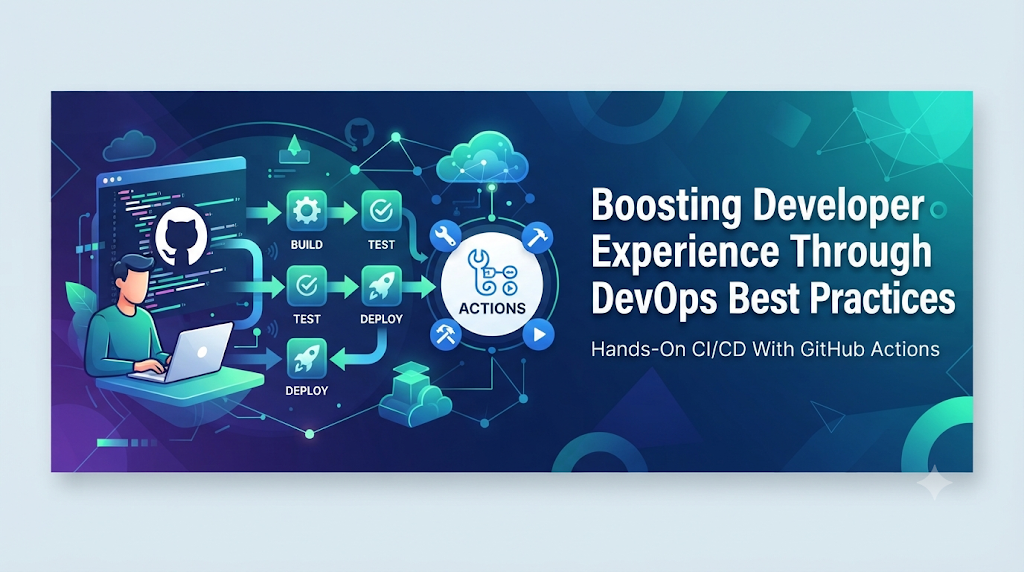
Imagine a software engineer ready to ship a critical feature on a Monday morning, only to spend hours waiting for environment access, fighting undocumented scripts, and navigating manual approval gates. This common scenario highlights the hidden toll of everyday development friction, bringing developer experience (DevEx) to the forefront of modern engineering. When workflows are clogged with manual hurdles, morale and velocity suffer; however, by embracing DevOps practices, automation, and collaborative frameworks—or by exploring structured learning resources like DevOpsSchool to build essential technical skills—organizations can transform these broken lifecycles into smooth, predictable, and highly satisfying engineering workflows.
1. Understanding Developer Experience Beyond Coding
Developer experience is often confused with productivity or general employee satisfaction, but it represents something distinct. While productivity measures output volume, and employee satisfaction measures general happiness, developer experience focuses on the friction and ease embedded within the software development lifecycle.
At its core, a strong developer experience encompasses several foundational pillars:
- Ease of setting up a development environment: How quickly a new engineer can spin up a fully functioning local copy of the application.
- Clarity of documentation and processes: Whether guidelines, architecture diagrams, and contribution rules are clear, accurate, and up-to-date.
- Availability of tools and infrastructure: Whether engineers have frictionless access to the compute, storage, and software tools they need.
- Speed of feedback: How rapidly code changes are validated by builds, tests, and static code analyzers.
- Collaboration across teams: How smoothly development, operations, security, and quality assurance teams communicate and resolve blockers.
- Ability to focus on meaningful work: Minimizing the time spent on manual toil, bureaucratic approvals, and repetitive administrative tasks.
When an organization optimizes its developer experience, it creates an environment where writing code is the primary focus, and moving that code to production is a seamless, automated consequence rather than a stressful ordeal.
2. Where Development Workflows Commonly Break Down
Before exploring solutions, it is helpful to diagnose the common pain points that degrade developer workflows. Without intentional engineering practices, software development lifecycles naturally accumulate bottlenecks:
- Manual environment configuration: Requiring developers to manually configure local machines, databases, and dependencies, leading to “it works on my machine” syndromes.
- Slow or unreliable build pipelines: Long compilation times and flaky tests that fail intermittently, forcing developers to rerun jobs repeatedly.
- Repeated testing and deployment tasks: Executing manual test suites, manual database migrations, and manual server deployments for every release candidate.
- Inconsistent environments: Discrepancies between local development, testing, staging, and production environments that hide bugs until code hits live users.
- Delayed feedback from testing: Waiting days or weeks for comprehensive QA cycles or security audits to catch issues introduced early in the sprint.
- Complex permissions and infrastructure requests: Gated ticketing systems that require multiple approvals just to provision a temporary testing cluster.
- Unclear ownership: Ambiguity over who maintains deployment scripts, monitors production alerts, or fixes broken build pipelines.
These frustrations compound over time, leading to lower code quality, hesitant deployments, diminished team confidence, and high turnover among engineering talent.
3. DevOps as an Improvement to the Developer Workflow
DevOps is frequently viewed solely through the lens of infrastructure, cloud platforms, and CI/CD tooling. However, at its cultural and operational heart, DevOps is designed to remove the walls between writing software and running software.
By applying DevOps principles, organizations share operational responsibilities across the entire team. Instead of throwing code over the wall to a separate sysadmin or operations team, developers participate in defining how their code is built, tested, and monitored. Operational requirements—such as logging, metrics, resilience, and security—are integrated early into the design phase rather than appearing as emergency roadblocks during deployment.
Consider a standard developer workflow under a mature DevOps model: a developer commits code to a version control system, triggering an automated pipeline that compiles the code, executes unit and integration tests, runs security scans, builds container images, and deploys the update to a staging environment—all within minutes, without requiring manual handoffs or status meetings. This seamless flow demonstrates the practical power of DevOps automation in daily engineering life.
4. Removing Repetitive Work Through Automation
Manual toil is one of the primary drains on developer energy. DevOps targets this toil by automating repetitive, error-prone tasks across the software delivery lifecycle.
Key automation practices include:
- Automated builds: Compiling code and packaging assets immediately upon code check-in.
- Continuous integration: Merging code changes frequently into a shared repository, verified by automated builds to detect integration conflicts early.
- Automated unit and integration tests: Executing comprehensive test suites instantly to validate functional correctness.
- Infrastructure provisioning: Using code to spin up servers, networks, and databases consistently and repeatably.
- Deployment automation: Pushing verified artifacts to production or staging environments without manual file transfers or server logins.
- Configuration management: Managing system configurations programmatically to ensure environment parity.
- Automated quality and security checks: Scanning code for vulnerabilities, code smells, and license compliance issues during the build phase.
For example, when a developer pushes a git commit, it can automatically trigger a webhook that spins up an ephemeral testing container, runs the test suite, performs static analysis, and posts the results directly back to the pull request interface within three minutes. This eliminates the need for manual script execution and lets developers stay focused on problem-solving.
5. Faster Feedback Helps Developers Make Better Decisions
Feedback speed dictates the cognitive load and agility of a software engineering team. If a developer learns that a piece of code is broken three weeks after writing it, the context has faded, and fixing it requires costly context-switching. Conversely, if feedback arrives within minutes, debugging is fast and intuitive.
Fast feedback loops manifest in several ways:
- Pull request checks: Automated validation of code style, formatting, and unit tests directly inside the code review interface.
- Automated test reports: Clear, actionable summaries highlighting exactly which test assertions failed and why.
- Code quality feedback: Real-time IDE warnings and continuous integration alerts regarding complexity and technical debt.
- Security scan results: Immediate identification of vulnerable third-party dependencies before code merges.
- Build failure notifications: Instant alerts sent via chat or email when a build breaks, pinpointing the exact commit responsible.
- Monitoring and production feedback: Dashboards and error-tracking tools that feed production telemetry back to the developers who built the feature.
By shortening these loops, DevOps ensures that developers spend less time guessing why an application failed and more time learning from precise, automated diagnostics.
6. Developer Self-Service and Better Development Environments
As engineering organizations scale, relying on central operations teams to provision resources creates severe bottlenecks. DevOps introduces developer self-service, empowering engineers to provision infrastructure, spin up environments, and trigger deployments independently while adhering to organizational guardrails.
Essential self-service capabilities include:
- Standardized development environments: Pre-configured templates and virtual workspaces that match production configurations.
- Reusable environment templates: Infrastructure blueprints that let developers deploy testing stacks with a single command.
- Infrastructure as Code (IaC): Defining compute and storage requirements in declarative files stored alongside application code.
- Self-service deployment processes: Controlled pipelines where developers can promote code to staging or production upon passing automated gates.
- Container-based development environments: Using containerization to ensure identical runtime behavior across local laptops and cloud clusters.
- Internal documentation and service catalogs: Centralized hubs where developers can discover existing APIs, microservices, and deployment templates.
Platform engineering often acts as the engine behind these self-service workflows, building internal developer platforms that abstract complex cloud infrastructure into clean, easy-to-use interfaces without stripping away developer accountability.
7. Collaboration Without Unnecessary Handoffs
Technology automation alone cannot fix a broken culture. DevOps emphasizes collaboration across development, QA, security, operations, and platform teams.
Traditional software models rely on sequential handoffs: developers write code, hand it to QA, hand it to security, and finally hand it to operations. Each handoff introduces miscommunication, delayed bug discovery, and finger-pointing when failures occur.
DevOps replaces handoffs with shared ownership. Cross-functional teams participate in code reviews, collaborative deployment planning, and blameless post-incident reviews. When an incident occurs in production, development and operations engineers investigate together to fix the root cause and update automation pipelines so the issue never recurs. This collaborative ethos ensures that DevOps remains a cultural and operational philosophy rather than just a collection of deployment scripts.
8. A Practical Developer Journey: Before and After DevOps
To visualize the impact of DevOps on everyday work, consider a hypothetical application feature—such as adding a new payment gateway integration—across two different organizational models. (Note: This is an illustrative workflow example to demonstrate operational differences.)
Before DevOps
- Local Setup: The developer spends two days manually installing database versions, configuring local environment variables, and troubleshooting local dependency conflicts.
- Development & Testing: The developer writes the code and runs basic local tests. Because local environments differ from production, subtle database bugs go unnoticed.
- Deployment Request: The developer creates a lengthy change request ticket and emails the operations team to request a staging deployment slot.
- Handoff & Review: Operations deploys the code manually. QA begins testing three days later, discovering an environment-specific configuration bug.
- Rework: The developer investigates the bug, patches it, and submits a new ticket, restarting the multi-day review and deployment cycle.
With DevOps
- Local Setup: The developer clones the repository and runs a single command that spins up a fully containerized local environment matching production within minutes.
- Development & Testing: The developer writes the code, runs automated unit tests locally, and opens a pull request.
- Automated Validation: The CI/CD pipeline automatically builds the application, runs integration tests, executes security scans, and deploys an ephemeral preview environment.
- Review & Merge: Reviewers inspect the code and preview environment via an automated link. Once approved, the code merges into the main branch.
- Continuous Deployment: The pipeline automatically promotes the build through staging to production with zero manual intervention, backed by real-time monitoring and automated rollbacks if anomalies occur.
9. How Teams Can Measure Developer Experience Improvements
Improving developer experience requires data to identify bottlenecks and validate whether workflow changes are effective. Engineering teams track several indicators to measure DevEx health:
- Build and test feedback time: How long a developer waits for CI pipelines to complete.
- CI pipeline reliability: The percentage of builds that succeed without flaky, false-alarm failures.
- Deployment frequency: How often code is successfully released to production.
- Lead time for changes: The total duration from code commit to production deployment.
- Change failure rate: The percentage of deployments that require immediate remediation or cause production incidents.
- Time spent waiting for environments: Delays caused by infrastructure provisioning or permission requests.
- Developer-reported friction: Qualitative feedback gathered through regular engineering surveys and retrospectives.
- Time required to resolve common workflow problems: Onboarding duration for new hires and time-to-fix for build pipeline issues.
These metrics should be used constructively to eliminate friction and streamline workflows, never as punitive individual performance scores.
10. Common Mistakes That Can Damage Developer Experience
While implementing DevOps practices, organizations sometimes introduce new forms of friction if changes are poorly managed. Common pitfalls include:
- Adding too many pipeline checks: Overloading CI pipelines with slow, redundant security scans and approval gates that frustrate developers without adding real security value.
- Introducing tools without solving workflow problems: Adopting trendy software platforms because of hype rather than addressing actual team pain points.
- Making deployment processes overly complex: Creating intricate multi-stage workflows that require specialized expertise just to push a minor bug fix.
- Treating developers as separate from operations: Retaining silos where developers write code and a separate team manages all pipeline and infrastructure maintenance.
- Creating excessive approval requirements: Requiring multiple management sign-offs for routine, low-risk production deployments.
- Ignoring documentation and onboarding: Failing to maintain up-to-date internal documentation, leaving new developers stranded in tribal knowledge silos.
- Automating broken processes: Writing automation scripts for fundamentally flawed workflows without fixing the underlying process issues first.
Avoiding these traps requires listening closely to engineers and treating developer workflows as products that require continuous refinement.
11. A Practical Adoption Plan for Engineering Teams
Improving developer experience is an iterative journey. Organizations can adopt a phased approach to implement DevOps practices effectively:
- Phase 1 – Identify Friction: Survey developers, map out current workflows, and pinpoint the biggest daily bottlenecks, such as slow builds or manual environment setup.
- Phase 2 – Fix Basic Problems: Clean up documentation, streamline local environment onboarding, and stabilize flaky unit tests.
- Phase 3 – Automate Repetitive Tasks: Introduce reliable CI/CD pipelines, automated testing, and basic infrastructure provisioning scripts.
- Phase 4 – Enable Self-Service: Provide reusable templates, containerized workflows, and self-service staging environments to reduce cross-team dependencies.
- Phase 5 – Measure and Improve: Monitor workflow metrics, review developer feedback regularly, and continuously optimize tools and processes.
This phased roadmap helps both small startups and large enterprises build sustainable, high-performing engineering cultures.
12. The Evolving Relationship Between DevOps, Platform Engineering, and Developer Experience
As software architectures grow more complex, organizations are expanding DevOps principles through platform engineering. Rather than expecting every product developer to master complex cloud infrastructure, dedicated platform teams build internal developer platforms (IDPs) and self-service portals.
These internal platforms provide golden paths—pre-packaged, secure, and compliant workflows for building, testing, and deploying services. Developers benefit from powerful automation and robust infrastructure without getting bogged down in low-level configuration details. By blending DevOps culture with thoughtful platform engineering, organizations strike the right balance between developer autonomy and enterprise governance.
Frequently Asked Questions
1. What does developer experience mean in DevOps?
Developer experience in DevOps refers to how seamless, frictionless, and satisfying the everyday working life of a software engineer is, encompassing tool availability, fast feedback loops, automation, and collaborative workflows.
2. How does DevOps improve developer productivity?
DevOps improves productivity by removing manual toil, automating repetitive tasks like builds and testing, providing self-service infrastructure, and eliminating waiting times associated with manual handoffs.
3. Can CI/CD improve the daily experience of developers?
Yes. Continuous integration and continuous deployment pipelines automate validation and releases, giving developers rapid feedback on their code and removing the stress of manual deployments.
4. How does automation reduce developer frustration?
Automation eliminates tedious manual tasks—such as configuring servers, running test suites by hand, and managing deployments—allowing developers to focus on creative problem-solving and writing code.
5. What is the relationship between DevOps and platform engineering?
Platform engineering builds upon DevOps by creating internal developer platforms and self-service tools that abstract infrastructure complexity, making DevOps practices easier for product teams to consume.
6. How can small development teams improve developer experience?
Small teams can improve DevEx by standardizing local development environments, automating basic CI/CD pipelines, documenting workflows clearly, and eliminating unnecessary approval gates.
7. Which metrics help measure developer experience?
Key metrics include build and test feedback time, CI pipeline reliability, deployment frequency, lead time for changes, change failure rate, and developer-reported workflow friction.
8. Does DevOps eliminate the need for collaboration between development and operations teams?
No. DevOps strengthens collaboration by dissolving silos, aligning incentives, and encouraging shared ownership of the entire software lifecycle from development through production operations.
Conclusion: Better Engineering Starts With Better Workflows
Improving developer experience is not about pressuring engineers to write code faster or squeezing more output out of every workday. True DevEx improvement is about removing unnecessary obstacles, providing reliable tools, shortening feedback loops, and building workflows that empower engineers to do their best work.
By embracing DevOps automation, fostering a collaborative culture, and prioritizing developer self-service, organizations can transform their software delivery lifecycles. Engineering leaders and teams should continuously listen to their developers, identify sources of daily friction, and refine their DevOps practices to build more resilient software and happier, more engaged engineering teams.